Private Photo Vault - Keepsafe
- 4.7
- Rating
- 50.00M
- Installs
- Free
- Price

 Analysis by App-foxy
I installed Private Photo Vault - Keepsafe expecting a simple hiding place for personal pictures, but its appeal became clearer after using it as part of an ordinary phone routine. It is a photography app from Keepsafe, available for free to Everyone, and its main job is to separate private images from the casual flow of the phone gallery. That sounds modest, yet it solves a problem many people only notice when they hand their phone to someone else.
My first impression was that the app is less about dramatic secrecy and more about creating a deliberate boundary. You can move selected photos into a protected space, keep them away from the main camera roll, and use the app as a private photo vault or secure folder. The experience is especially useful for images that are personal, temporary, or simply not meant to appear while scrolling through the regular gallery.
The real question is not whether the app can hide photos; it is whether that separation remains useful after the first week. In my experience, it can, but only if you treat it as a small maintenance habit rather than a one-time dump for every image you do not want to see.
You May Also Like

 Blood Strike: 2.5 Anniversary
Blood Strike’s Loadouts Turn Every Drop Into a Tactical Gamble
A close look at Blood Strike’s custom loadouts: how fast access to signature weapons reshapes its battle royale rhythm, rewards preparation, and narrows the gap between fights.

 Pandora - Music & Podcasts
Pandora’s Music Is Easy to Start, but Harder to Recover
Pandora’s strength is its low-effort path from a seed to a station. Its weak spot is how much confidence it asks you to place in connection, setup, and quiet recovery.

 8 Ball Pool
 Is Built on Rivalries, Rematches, and Routine
A close look at the rivalries, rematches, shared routines, and unanswered safety questions that turn a quick pool match into a persistent mobile community.

 Samsung Music
’s Quiet Strength Is Playing What You Already Own
Its reach comes less from spectacle than from dependable access to a personal library. That simplicity is both the app’s strongest retention engine and its ceiling.

 AccuWeather: Weather Radar
AccuWeather Review: A Quick, Clear Forecast for Everyday Decisions
For everyday plans, the best forecast is the one you can understand quickly. AccuWeather makes rain timing, radar, and local conditions easy to act on, with a few trade-offs.

 Hill Climb Racing
Why Hill Climb Racing Still Turns Crashes Into One More Run
A tiny car, a bumpy hill and one more upgrade: Hill Climb Racing keeps resurfacing because its simple chaos makes every near-miss feel personal.
More From Our News Desk



From quick curiosity to a useful first-week routine
During the first few days, the strongest benefit is immediate: I could choose what belonged in the private space instead of relying on the general gallery to manage everything. That distinction matters when a phone contains family pictures, work-related images, screenshots, documents, saved references, and photos that are meant to stay personal. A normal gallery is built for visibility and speed; this app is built for controlled access.
The setup feels most convincing when used with a clear purpose. Rather than importing thousands of images at once, I found it more practical to start with a small group: personal photos, sensitive screenshots, or images I might need later but did not want visible in the main gallery. This makes the vault easier to understand and prevents it from becoming another cluttered archive.
The shared album angle adds a different use case. A private collection can be useful when several people need access to selected pictures without making the entire camera roll available. I would use that for a family project, a trip, or a small set of images that should remain separate from unrelated personal content. The important trade-off is that a shared private space is still a space that needs careful membership and organization; privacy is not improved by adding people casually.
One practical workflow stood out to me. After taking a series of photos, I would review them in the normal gallery, remove the unneeded ones, and only then move the keepers into the vault. Doing this in reverse creates unnecessary work because the private folder can quickly become a second inbox. The app is more valuable when it receives selected material, not every image that happens to feel private in the moment.
Private Photo Vault - Keepsafe also makes sense for people who lend their phones to relatives or friends. A person can browse the visible gallery without automatically seeing everything. That does not replace basic judgment about what is stored on a device, but it reduces the awkwardness of having to supervise every swipe. For parents, couples, travelers, and anyone who keeps personal reference images on a shared-use phone, that is a practical first-week win.
The app has been around since Jun 3, 2011, and its continued familiarity is reflected in its scale: it has passed 50 million installs, with an average rating of 4.7 from around 2.1 million ratings. Those figures do not guarantee that it will suit every person, but they do suggest that the private-gallery idea has lasting everyday demand rather than being a short-lived novelty.
What I would organize before importing anything
I recommend deciding on a few broad groups before moving photos. For example, personal memories, sensitive documents, and temporary images can be kept conceptually separate even if your exact folder structure differs. This makes later cleanup much easier than placing everything under one vague label such as “private.”
A second useful habit is to keep the main gallery as the place for active photos and the vault as the place for protected photos worth retaining. That distinction prevents the app from becoming a hiding place for duplicates, blurry shots, old screenshots, and images that should simply be deleted. The vault works best as a curated cabinet, not a basement.
I would also test the complete move-and-retrieve process early. It is easy to assume that storing an image is the important part, but the real test is whether you can find it later, use it when needed, and return it to the right place without confusion. If your first week ends with uncertainty about where photos live, the app has added friction instead of removing it.
Why the value can survive from month to month
After the novelty fades, the app earns its place through repetition. I found the most durable value in three recurring situations: protecting a phone before lending it out, keeping certain images away from automatic browsing, and maintaining a small private collection that should not mix with everyday photography.
The first situation is occasional but important. A friend may want to look through vacation photos, a child may borrow the phone for a game, or a family member may need to use the camera. In those moments, having a separate vault means I do not need to clean the entire gallery beforehand. The time saved is not dramatic every day, but the reduction in worry is noticeable whenever the phone leaves my hand.
The second situation is more continuous. Some images are not scandalous or highly sensitive; they are simply personal. Keeping them out of the regular gallery reduces accidental exposure during photo selection, social sharing, or quick searches. This is a subtle benefit, because it improves control without demanding that I change how I take photos.
The third situation involves long-term reference. I can imagine using a private folder for scans, personal records, or visual notes that I want on the phone but do not want mixed with camera memories. That workflow is convenient, although I would not treat a phone vault as the only place for irreplaceable material. A protected folder helps with casual access, but it should not replace a separate backup strategy for photos that matter deeply.
The app’s free entry point makes it easy to try this routine without committing money first. At the same time, in-app purchases range from $0.99 to $299.99 per item, so I would pay attention to the exact upgrade screen and the value of any optional purchase before confirming it. The broad range means the free version is the sensible starting point for judging whether the workflow genuinely fits your life.
Month to month, the main benefit is not a new feature appearing every time I open the app. It is the consistent separation between public-by-default phone content and images I want to handle more carefully. That is why the app can last: it supports a repeated behavior that ordinary gallery apps do not prioritize.
Where it beats ordinary gallery hiding
A standard gallery is excellent for sorting, editing, and sharing visible media, but it is not usually designed around privacy as the central task. Its strength is convenience, while this app’s strength is deliberate access. If your need is only to create albums for holidays or pets, the normal gallery is probably enough and may feel faster.
Private Photo Vault - Keepsafe becomes more convincing when the concern is not organization alone but exposure. A regular album can still sit inside a broader gallery experience where someone browsing the phone may encounter thumbnails, recent images, or unrelated folders. A dedicated private space creates a clearer mental and practical boundary.
Cloud photo services are better suited to synchronization, broad search, and access across several devices. I would choose one of those when my priority is finding a photo everywhere. I would choose this app when my priority is keeping a selected set apart on the phone. These are different jobs, and confusing them can lead to disappointment.
File managers with locked folders may appeal to people who want a more general-purpose secure directory for documents and media. They can be more flexible, but that flexibility often makes them less friendly for someone who mainly wants a private photo workflow. Keepsafe’s photography focus is an advantage when the task is selecting, viewing, and managing images rather than managing every file type.
The maintenance cost that becomes visible later
The biggest long-term weakness is not that the app is difficult to understand. It is that privacy creates an extra place to maintain. Every protected photo has to be remembered, organized, and eventually reviewed. If I forget what I moved or why I moved it, the vault becomes confusing in the same way an overloaded camera roll becomes confusing.
I found a monthly review useful. It does not need to be elaborate: remove duplicates, delete temporary screenshots, return photos that no longer need protection, and check whether the remaining groups still make sense. This is the kind of small routine that keeps the app valuable. Without it, the vault gradually becomes a storage drawer that delays decisions.
There is also a retrieval cost. When a photo is hidden from the normal gallery, sharing it later may require an extra step: open the vault, locate the image, and decide where it should go next. That is a fair price for privacy, but it matters if you frequently send protected photos to messaging apps or social networks. Someone who shares constantly may prefer the speed of a normal gallery and accept the privacy compromise.
Another point is memory. A private vault can make an image feel safely “handled,” which may encourage people to keep more than they need. I had to remind myself that hiding is not the same as archiving intelligently. The app protects the viewing context, but it does not make poor photo habits disappear.
For important material, I would be especially careful about relying on a single location. Before deleting an original from the regular gallery, I would make sure the photo is genuinely available where I expect it to be and that I understand the app’s own retrieval process. The safest workflow is cautious: move a small batch first, verify it, and only then remove duplicates elsewhere.
Small sources of fatigue
The first source of fatigue is repeated authentication and navigation when I only need a photo for a quick task. Security is useful precisely because it adds a barrier, but barriers feel most noticeable during rushed moments. If your private collection is accessed several times a day, the extra step may become irritating.
The second is the mental split between two galleries. New photos arrive in one place, while selected photos live in another. That can be empowering, but it also means I have to remember which library contains the image I want. A simple naming system and regular cleanup reduce this problem considerably.
The third is upgrade pressure. The app is free to start, but optional purchases can become part of the experience depending on what you want from it. I would not upgrade simply because the vault feels useful during the first enthusiastic week. I would wait until the free workflow has survived a month and I can identify a specific limitation that the purchase would solve.
There is also a social fatigue that is easy to overlook. If someone asks to see a photo and I need to explain why it is in a separate vault, the app can make privacy visible. That is not a flaw in the storage itself, but it is part of using a privacy-focused tool in real life. For some people, the benefit of control will outweigh that awkwardness; for others, it may feel like too much ceremony.
Who should keep it, and who should move on
I would recommend it to people who regularly lend out their phones, keep personal images that should not appear in casual browsing, or want a dedicated photo-first private space instead of a general file locker. It is also a good fit for someone who prefers a simple, focused workflow over a full cloud-management system.
I would be more cautious if your main need is automatic backup across devices, advanced photo editing, or a single searchable library containing everything. Those priorities belong more naturally to a cloud photo service or the phone’s built-in gallery. This app can complement those tools, but it is not a replacement for every part of a modern photo system.
I would also skip it if you know you will never review a second library. The app cannot create discipline on its own. If you move images into it and then forget they exist, you may gain privacy while losing convenience. In that case, a smaller number of carefully chosen albums, combined with sensible phone privacy settings, may be a better fit.
For families, the shared album capability deserves careful thought. It can be useful for a selected collection, but shared access should remain narrow and intentional. I would create a specific group for a specific purpose, avoid treating it as a general family dump, and remove old material when the project ends. That keeps the private space from becoming a permanent pile of mixed-access photos.
The app supports older devices down to Android 5.1, which makes it approachable for people using phones that are not recent. Its current version is 14.10.0, and the developer is Keepsafe. Those details make it a practical option for a broad range of Android users, although the best experience will still depend on how comfortably the individual phone handles the app and its photo workflow.
My long-term verdict
Private Photo Vault - Keepsafe earns lasting space on my phone when I use it as a curated privacy layer, not as an emergency hiding button. Its strongest quality is consistency: it gives personal photos a separate home and makes casual gallery browsing less revealing. That benefit remains useful long after the first-week curiosity disappears.
Its weakness is equally consistent. Every extra private space creates an organizational obligation, and retrieving images can be slower than using the ordinary gallery. The app is therefore best for people who value control more than absolute speed. If you rarely lend out your phone and do not mind all images appearing together, it may feel unnecessary.
My advice is to begin with a small, meaningful collection and use it for a full month before considering any paid option. Keep the vault selective, review it regularly, and maintain another safe copy of irreplaceable photos. That approach reveals whether the app is solving a real privacy problem or merely giving clutter a different address.
Overall, I see it as a focused photography utility with genuine recurring value. It does not need to become the center of your phone to be worthwhile. If the simple act of separating private pictures from everyday browsing would make you more comfortable, this is one of the more natural tools to try. If your priority is universal access, automatic organization, or effortless sharing, the usual gallery or cloud alternative will probably serve you better.
FAQs for Private Photo Vault - Keepsafe
01What is Private Photo Vault - Keepsafe used for?
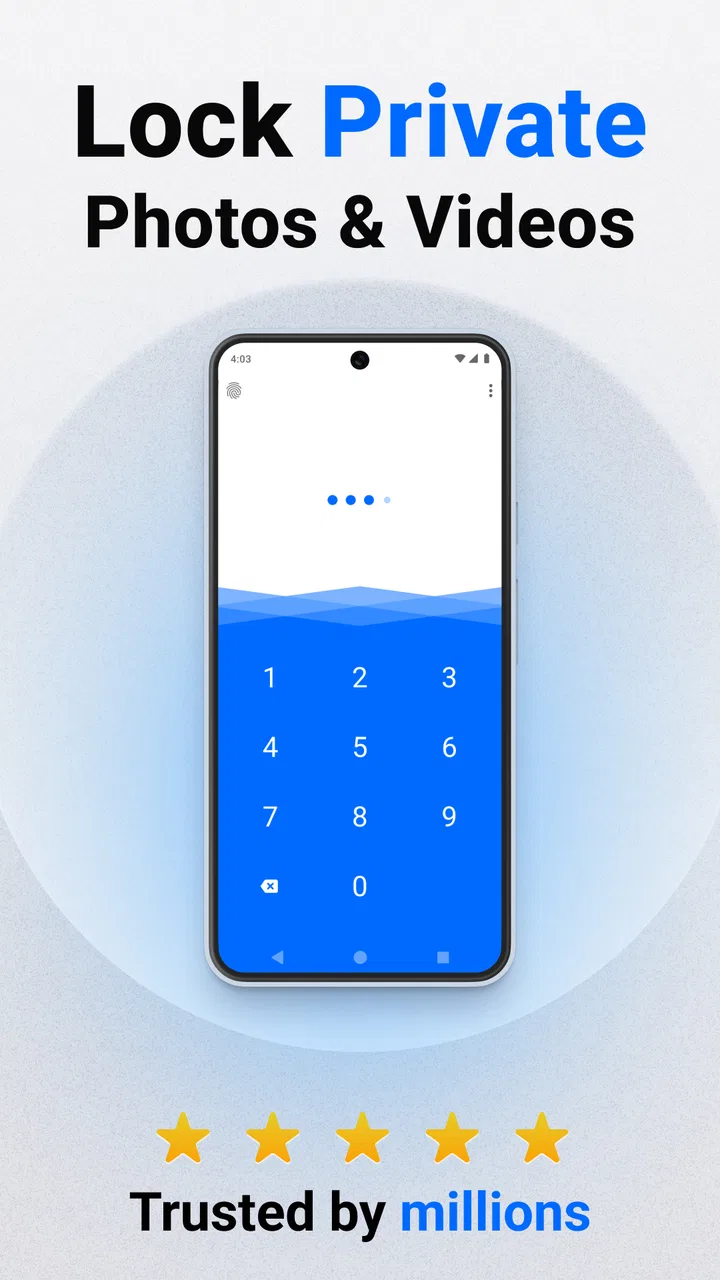
Private Photo Vault - Keepsafe is designed to securely store and protect your personal photos and videos. The app allows users to create a private space on their devices where they can lock away sensitive or private files behind a PIN, password, or fingerprint authentication. This ensures that your media is kept secure from prying eyes.
02How does Private Photo Vault ensure the security of my files?
The app employs multiple layers of security to protect your files. This includes password protection, PINs, and fingerprint authentication. Additionally, Keepsafe uses encryption to safeguard your data, ensuring that even if someone accesses your device, they won’t be able to view your protected files without the correct credentials.
03Can I recover my files if I forget my password or PIN?
Yes, Keepsafe offers a recovery feature for users who forget their passwords or PINs. During the setup process, users are prompted to set up a recovery email. If you forget your login credentials, you can use this email to reset them and regain access to your vault.
04Is there a limit to how many photos or videos I can store in Keepsafe?
While the basic version of Keepsafe offers a significant amount of storage for free, there is a limit. However, users can upgrade to Keepsafe Premium for additional storage capacity and other features like cloud backup and the ability to store more files securely. This makes it ideal for users with larger collections.
05Does Private Photo Vault - Keepsafe offer any additional features?
Yes, Keepsafe provides several additional features to enhance user experience and security. These include a break-in alert that snaps a photo of anyone attempting to access your vault without permission, a fake PIN option to create a decoy vault, and a private cloud for backing up your files securely. These features ensure comprehensive protection and convenience.
Pros
- Easy-to-use interface for quick navigation.
- Strong encryption for enhanced photo security.
- Backup feature ensures no data loss.
- Customizable albums for better organization.
- Supports both photos and videos.
Cons
- Limited free storage without subscription.
- Ads can be intrusive in the free version.
- Some features locked behind paywall.
- Occasional lag during photo import.
- No support for cloud storage services.

Private Photo Vault - Keepsafe
Gallery